
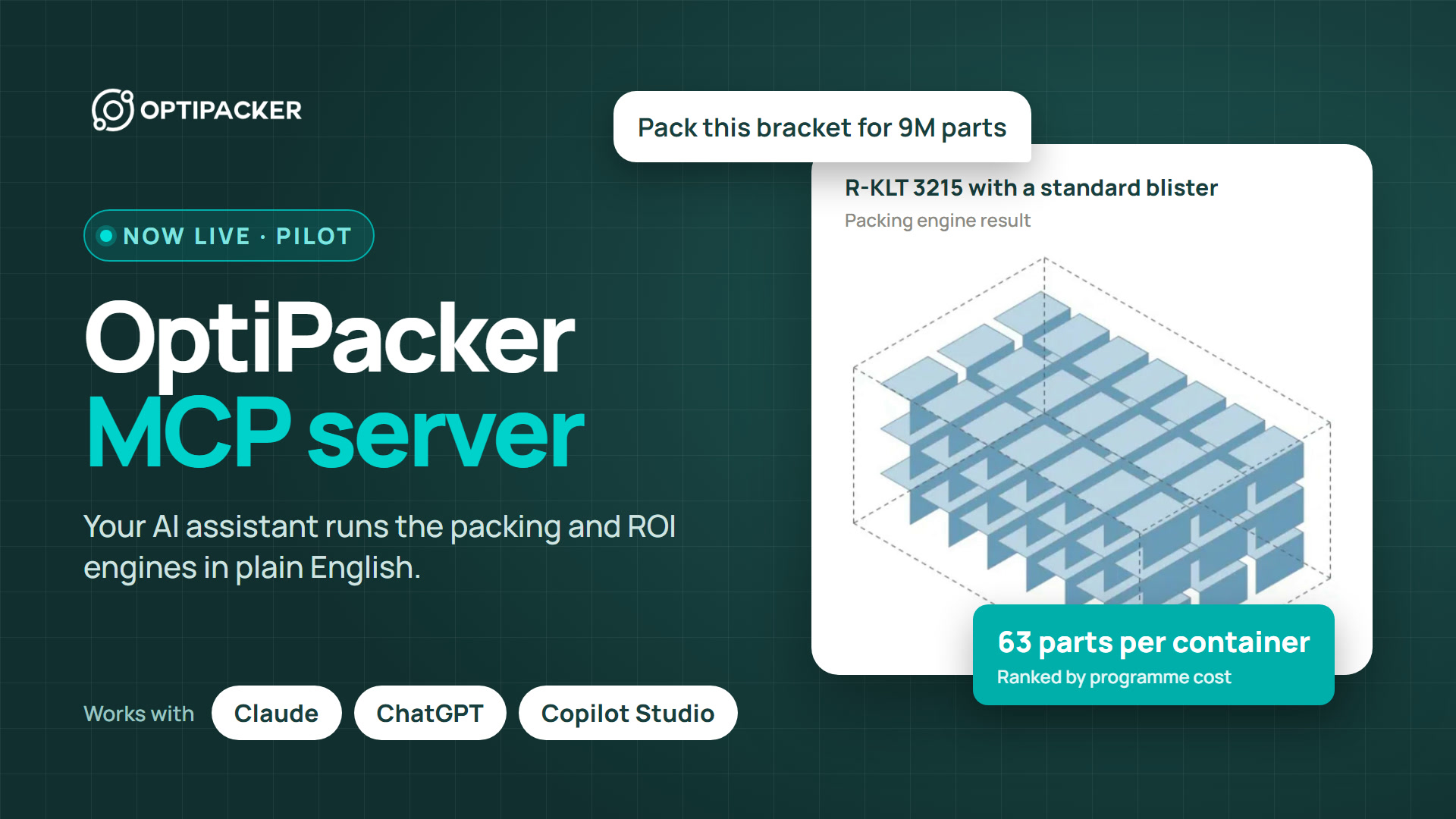
Short answer: Optipacker now has an MCP server. Claude, ChatGPT, Microsoft Copilot Studio, Cursor and other MCP clients can connect to it. Your assistant imports the part, reads your container catalogue, runs packing proposals, compares packing methods and builds the business case. The figures come from the same engines as the website, not from the language model. An engineer confirms the requirements of each run, and each run leaves a record.
We built this to change how packaging planning works, from the RFQ estimate to the purchase order. This post describes what the assistant does today, where it sits in the business process and what it can change in time and team capacity. The time and capacity figures below are an illustration with stated assumptions. They are not a measured customer result.
What changes: the assistant calls the engine
Today a packaging estimate moves between CAD, a packing tool, spreadsheets and email. A person copies each result to the next tool. With the MCP server, you ask your assistant in your own words. The assistant calls Optipacker's application logic directly: the packing engine for capacity and part placement, and the ROI engine for investment, cash flow and break-even.
A language model alone guesses numbers. Here the model only chooses which calculation to call and explains the answer. The tool texts forbid an invented material, price, load rating or zero. If a fact is missing, the assistant asks you for it.
What your assistant can do today
| Work | What the assistant does |
|---|---|
| Set up the project | Creates a draft project and sets its production programme: peak annual volume, ramp-up years and productive days. It reads the parts, pallets and saved baselines of the projects that you share. |
| Import the part | Uploads an STL file, checks the geometry and saves the part with its material and part cost. It shows the material options before the save. |
| Find containers | Searches the container catalogue with internal size, payload, tare and price. It marks each unknown fact. On request, an administrator's assistant creates a custom container from a supplied specification. |
| Compare packing | Prepares a proposal for several containers and packing methods: bulk estimate, arranged packing and protection with trays. It shows the clearances, rotations and cost scope before the run, then ranks the options by programme cost. |
| Test the risk | Tests a range of replacement rates or wash costs and shows whether the ranking changes. |
| Adopt the option | Adopts the recommended option inside the decision policy that your administrator sets. You get a notice of each adoption. |
| Build the business case | Compares up to five scenarios: investment, programme cost, cash flow, ROI and break-even. It recalculates a lower volume, a longer loop or another loss rate next to the original, and saves a named scenario with a review link. |
| Report | Creates a packing or ROI report as a PDF that you can send, with a summary in the chat and a packing image. |
| Keep track | Lists the runs that wait for a check, the finished runs and the changes since the adoption. A daily watch compares the adopted packing with its current sources and flags each change. |
Packing by the real part shape is part of the engine. For L-shaped, hollow and angled parts it can fit more parts than bounding-box packing. We switch it on for each organization. The measurements show where it helps and where it does not.
Where it sits in the business process
VDA 5007 and the supplier manuals of carmakers describe the packaging process in about twelve steps. The table shows which steps the assistant does, which steps stay on the Optipacker website and which steps stay in your other systems.
| Step | Upstream input | With Optipacker | Downstream output |
|---|---|---|---|
| 1. Packaging in the RFQ | Part file, programme volumes, customer container menu | Assistant: estimate, packing options and cost per part for the quote | Packaging cost in the piece price |
| 2. Allocation at nomination | Sourcing decision | Person: who designs, buys and owns the packaging | Design duty and cost share |
| 3. Packaging concept | CAD data, handling rules, weight limits | Assistant: container sweep and packing methods. Engineer: confirms the requirements. | Proposal for the packaging data sheet |
| 4. Container and pack quantity | Standard container rules | Assistant: ranked options with parts per container | Container type and standard pack quantity |
| 5. Trays and inserts | Surface protection needs | Assistant: protection variants. Website: insert design, review and release by Optipacker engineers. | Released insert with drawing and CAD files |
| 6. Packing test | Physical samples | Person: trial pack and test report | Confirmed capacity |
| 7. Approval | The proposal and the test | Assistant: report for the approval. Customer planner: signs. | Signed packaging data sheet |
| 8. Loop size | Route, loop days, call-off pattern | Assistant: fleet and cost for each loop case | Pool size |
| 9. Funding and purchase | Budget and approval limits | Assistant: business case and saved scenario. Website: demand plan and supplier purchase order. | Approved investment and purchase order |
| 10. Master data and labels | ERP packaging specification | Your ERP and the customer portal | Packaging instruction, labels, ASN |
| 11. Series supply | Call-offs | Your container management | Empties orders and account statements |
| 12. Change and end of production | New part revision, volume change, relocation | Daily watch: flags a changed source. Assistant: runs the change against the adopted option. | New data sheet, or return or scrap |
The assistant covers the steps where people spend most of their engineering time: the RFQ estimate, the concept, the loop and the business case. The signatures stay with people, as the process requires.
What stays with people
- Engineering checks. Before each run, a member confirms four requirements: whether parts can touch, whether parts can go in an arrangement without protection, whether bulk packing is permitted, and which costs count. An engineer can keep the checks of a part as a standing profile. A run with the same requirements then starts without a new confirmation, and its record names the profile.
- Adoption. The assistant adopts only the recommended option of a run, and only inside the decision policy of your organization. Your administrator sets which roles can adopt.
- Purchases. A person commits the demand plan and releases the purchase order on the website.
- Access. You select up to 20 projects and the permissions on the consent page. You can revoke the connection in Settings at any time.
Time and capacity: three ways to do the same case
The table compares one part case done in three ways. The case covers one new part with a container sweep of eight candidates, two packing methods, a loop size and a business case of three to five scenarios. The hours are our assumptions from the steps above. Change them to the figures of your team.
| Step of one part case | Spreadsheets and CAD | Packing tool through its UI, plus Excel | AI assistant calling Optipacker |
|---|---|---|---|
| Collect part data, volumes and the container menu | 2.0 h | 1.5 h | 0.5 h |
| Packing calculation for eight containers | 6.0 h | 1.5 h | 0.25 h |
| Packing methods and protection variants | 3.0 h | 1.5 h | 0.25 h |
| Loop size and fleet | 2.0 h | 1.0 h | 0.25 h |
| Business case: one-way against returnable | 4.0 h | 2.5 h | 0.5 h |
| Report and approval pack | 2.0 h | 1.5 h | 0.25 h |
| Engineer review and sign-off | 1.0 h | 1.0 h | 1.0 h |
| Budget, demand plan and purchase order | 2.0 h | 1.5 h | 1.0 h |
| Hours of one part case | 22 h | 12 h | 4 h |
| Elapsed time to an answer | 1 to 2 weeks | 3 to 5 days | The same day |
| Options compared in one case | 2 to 3 | 4 to 6 | 8 containers, several methods, up to 5 business scenarios |
Two public figures support the direction. At Lucid Motors, one packaging estimate took 15 to 20 minutes with separate density and pallet tools, and 2 to 5 minutes with a planning tool. One rack supplier said that about 40 % of its engineering time went to unpaid concept work for quotes. Both figures come from Automotive Logistics (2026).
Example: a team with 200 part cases a year
Take a supplier that handles 200 part cases a year: new parts, RFQ estimates and engineering changes. Count 1,600 productive hours for each full-time person and a loaded cost of €65 per hour.
| Spreadsheets and CAD | Packing tool through its UI, plus Excel | AI assistant calling Optipacker | |
|---|---|---|---|
| Hours each year | 4,400 h | 2,400 h | 800 h |
| Full-time people | 2.75 | 1.5 | 0.5 |
| Labour cost each year | €286,000 | €156,000 | €52,000 |
Against spreadsheets, the assistant frees 3,600 hours, or 2.25 full-time people, each year. Against a packing tool through its UI, it frees 1,600 hours, or one full-time person. Most teams will not use the hours to cut people. They will use them to answer more RFQs before the deadline, to compare more options for each part and to check each engineering change against the adopted packing.
The first pilot customers will measure operator time against their own baseline. We will publish the measured figures when we have them.
Why nobody else does this yet
Packing tools that read part geometry, such as PackAssistant and Pack Studio, sell strong calculations with a desktop or web interface. MCP servers for load planning exist, but they plan boxes, drums and other simple cargo shapes. On 10 November 2026 we searched the official MCP Registry for packaging, container loading, pallet, packing and returnable. We found no other MCP server that plans packaging from part geometry, and none for returnable against one-way ROI, loop size or container purchase planning. Read the comparison of packaging planning software for the details.
Example requests
- "Compare the returnable containers of our catalogue for this bracket at 80,000 parts a year. Parts must not touch. Show the cost per part."
- "The loop to the new plant has 21 days. Show the fleet and the programme cost against the 11-day loop."
- "Run the same part in one-way boxes and tell me the difference to the adopted option."
- "What happens to the business case if the volume is 20 % lower from year 3?"
- "Save the returnable scenario and make a PDF report for the approval."
Connect your assistant
Claude and Claude Code connect today. ChatGPT connects in preview through Developer mode, and Microsoft Copilot Studio connects in preview. Cursor and other clients that support remote MCP servers with sign-in can also connect. You need an Optipacker account. A packing run uses the free daily runs of your organization or a paid allowance. Reading projects, preparing a run, importing parts and creating reports use no run.
Connect your AI assistant, read the setup guide for Claude or request access.