
A better box starts with your data.
Send item dimensions and container options to Optipacker. Bring the recommendation into your own checkout, fulfillment tool or packing application.
Send containers + items
Compare candidate containers
Get single-SKU arranged placements
Configure gaps, rotation, constraints

Bring packing into your workflow.
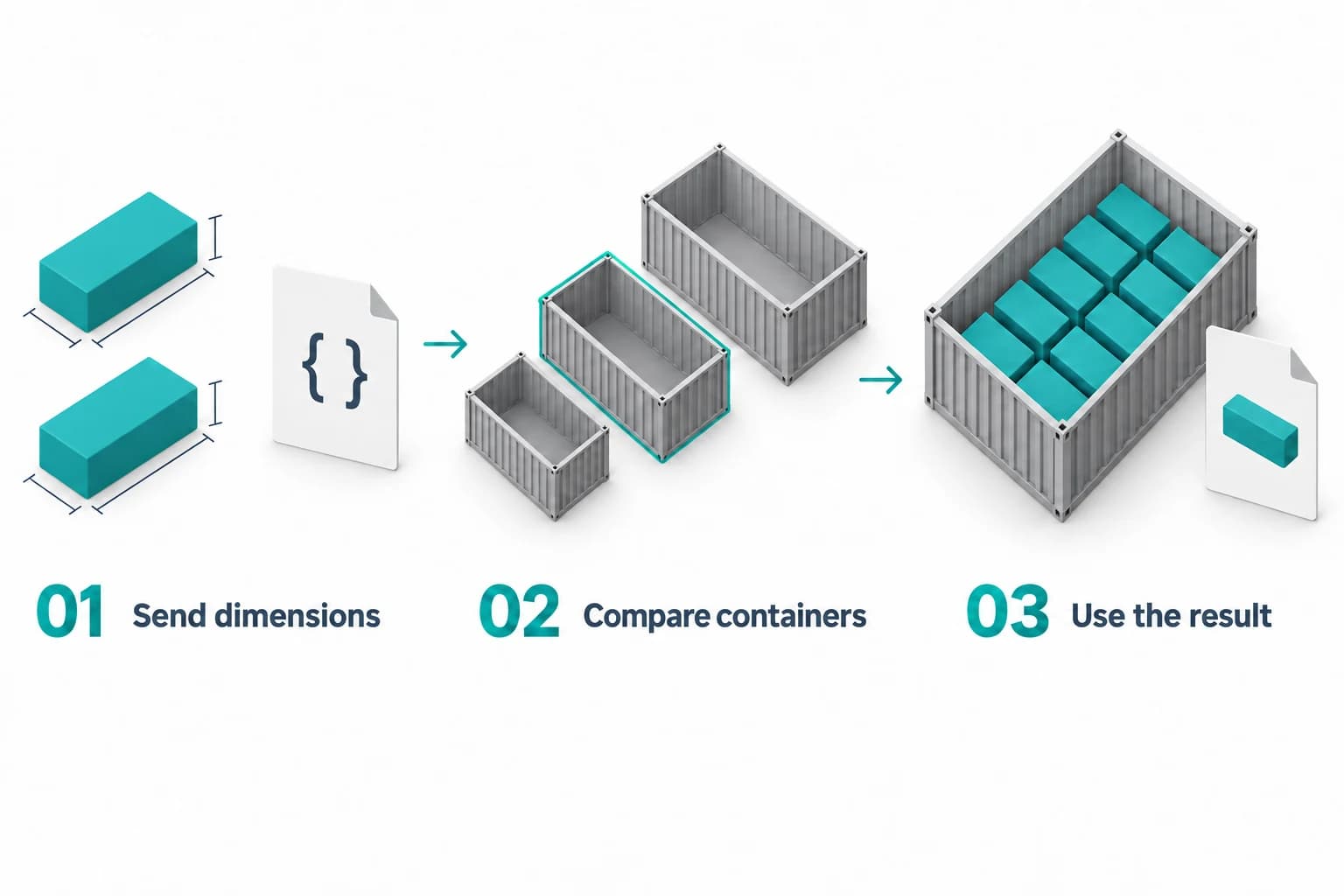
Use container recommendations in your own integration. Single-SKU arranged requests can return 3D placements; mixed-SKU requests return a volume and dimension estimate.
- Send item dimensions, quantities and candidate containers.
- Request a recommendation with a valid authentication token.
- Use the fit result and available placement data in your application.
See the Engine in Action
Set up a single-SKU example, run the public demonstration and inspect the arranged packing result. Production API requests require authentication.
Configuration
Pack the requested quantity into this container.{
"requestId": "demo-preview",
"availableContainers": [
{
"sku": "DEMO-BOX",
"name": "Demo Container",
"innerDimensions": {
"length": 300,
"width": 200,
"height": 150,
"unit": "mm"
},
"maxWeight": 5000,
"emptyWeight": 150
}
],
"items": [
{
"sku": "DEMO-ITEM",
"name": "Demo Item",
"dimensions": {
"length": 20,
"width": 20,
"height": 20,
"unit": "mm"
},
"weight": 10,
"weightUnit": "g",
"quantity": 6,
"allowRotation": true
}
],
"options": {
"packingMode": "shipment",
"algorithm": "arranged",
"preference": "smallest_volume",
"gaps": {
"x": 5,
"y": 5,
"z": 5,
"wallClearance": 10,
"sideWallClearance": 10,
"bottomClearance": 10,
"enforcementMode": "strict"
},
"rotationConstraints": {
"allowXAxisRotation": false,
"allowYAxisRotation": false,
"allowZAxisRotation": true
},
"stackingMode": "stable"
}
}Ready to simulate
Placement data
Single-SKU arranged results can include part-centre coordinates, dimensions and rotations for your own visualization.
Shipment and capacity modes
Check a requested shipment or explore the capacity of a container for one SKU. Review partial-fit results as well as complete fits.
Explicit packing constraints
Set supported gaps, wall clearances and rotation rules. Use identical layers for supported single-SKU shipment requests.
View the full API documentation for request/response schemas and authentication details. Have questions? See common integration questions in our FAQ, or explore the full platform features.